The short answer
Open JSON Formatter, paste the JSON into the box, and read it. The layout happens as you type, the language is worked out from the text, and the indentation is two spaces unless you say otherwise. Nothing is uploaded, because there is nowhere for it to go: the parser is a few hundred lines of JavaScript running in the tab you already have open.
Everything below is the part that is worth knowing before you paste a configuration file into any of the alternatives: what a formatter is allowed to change, what most of them change anyway, and how to read the error when the file will not parse at all.
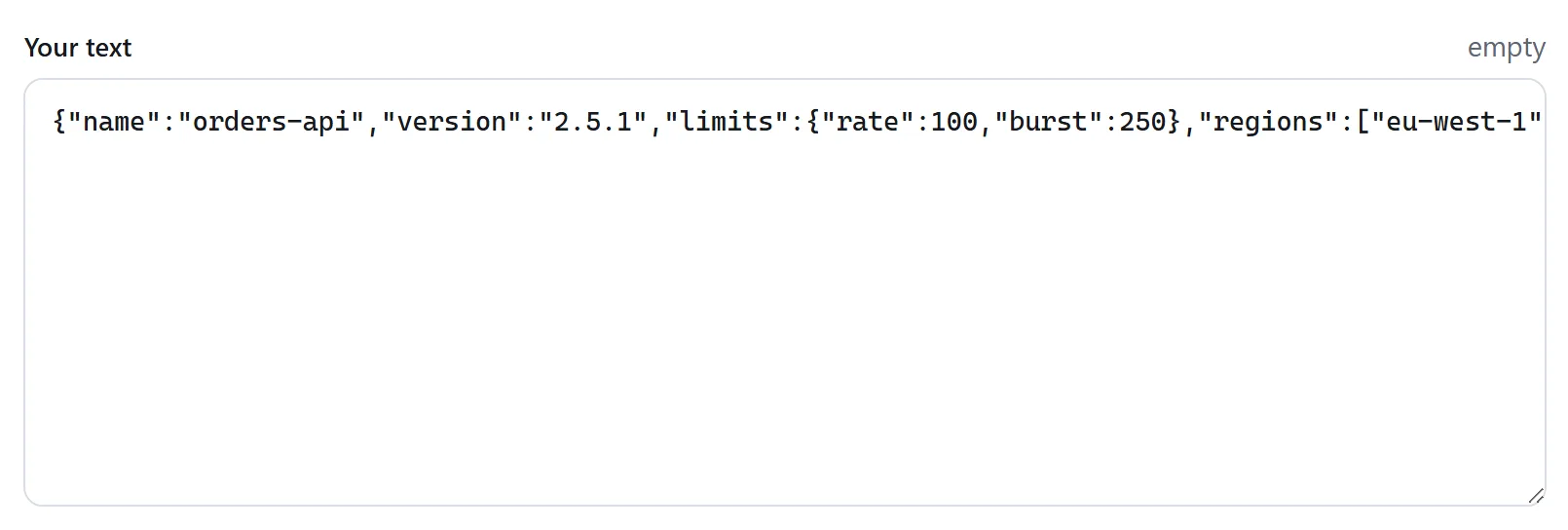
What formatting is, and what it is not
JSON has almost no syntax. An object, an array, a string, a number, and the three words true, false and null. Between those pieces, whitespace means nothing: the file
{"name":"thing","tags":["local","offline"]}and the file
{
  "name": "thing",
  "tags": [
    "local",
    "offline"
  ]
}
are the same document. Formatting is the business of moving from the first to the second, and that is the whole job. Anything else a formatter does to your file — reordering, rounding, dropping — is a change to what the document says, made without being asked.
Three of those changes are common enough to be worth naming, because they are silent and because they are what a formatter written in an afternoon does by default.
The three things a formatter must not change
The order of your keys
This is the one that catches people. The obvious way to write a JSON formatter in JavaScript is to call JSON.parse and then JSON.stringify with an indent, and that pair does not preserve the order of keys that look like integers:
Object.keys(JSON.parse('{"10":"a","2":"b","x":"c"}'))
// ['2', '10', 'x']
It is not a bug in anybody's code. JavaScript objects are specified to put integer-like keys first, in ascending numeric order, and every value passing through JSON.parse becomes a JavaScript object. A formatter built that way will rearrange a file keyed by id, by port number, by year or by HTTP status code, and will do it without a word.
Whether it matters depends on the file. JSON objects are unordered in principle, so nothing is technically broken — but the diff against the version in your repository will be enormous, the review will be unreadable, and if anything downstream reads the file in order, the behaviour changes.
The digits of your numbers
JSON does not say how big a number may be, and JavaScript does: every number is a double. So a formatter that parses to a double and prints it back loses anything a double cannot hold.
JSON.stringify(JSON.parse('{"id":123456789012345678901}'))
// {"id":123456789012345680000}

JSON.stringify(JSON.parse('{"size":1e999}'))
// {"size":null}
A twenty-one digit id — a Twitter id, a Snowflake id, a bank reference — comes back as a different number, and a value too large for a double comes back as null. Both files still parse, and neither is the file you started with.
The way out is not to parse numbers at all. A formatter only needs to know where a number starts and ends in order to lay the document out; it never needs its value, so the safe thing is to copy the digits across exactly as they were written. That is what the tool here does.
Your duplicate keys
{"a": 1, "a": 2} is valid JSON, and the standard declines to say which of the two wins. Parsers disagree in practice: most keep the last, some keep the first, a few refuse the document. A formatter that quietly emits one of them has made that decision for you, and has hidden the far more useful fact that there were two — which is nearly always a mistake in the file, and one you would want to see.
When the file will not parse
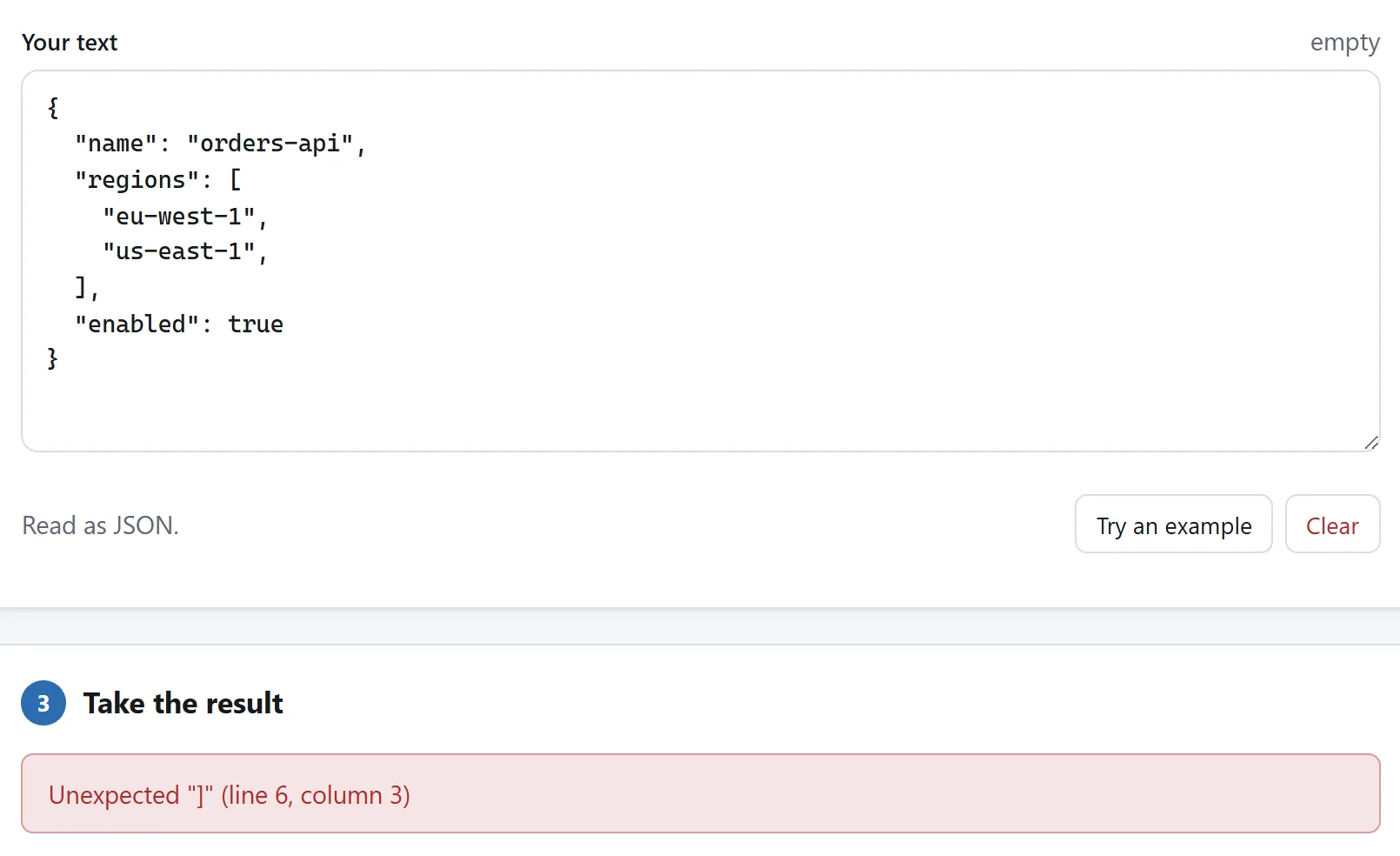
Most JSON that fails is not exotic. It is one of about six things, and the error tells you which if it says where it is in terms you can find. An offset like position 4193 is not that; a line and a column is.
- A trailing comma.
{"a": 1,}is legal in JavaScript and not in JSON. The most common single cause, usually left behind by deleting the last entry of a list. - Single quotes.
{'a': 1}is a JavaScript object literal, not JSON. Strings and keys are both double-quoted, and keys are always quoted. - An unquoted key.
{a: 1}, the same mistake from the other direction — usually from pasting something out of code rather than out of a file. - Comments.
// like thisis not JSON either. It is JSONC, which VS Code settings andtsconfig.jsonuse, and it will not parse anywhere else. If a comment must survive, the convention is a key:"_comment": "...". - A real newline or tab inside a string. They have to be written as
\nand\t. This is what usually goes wrong when a shell command or a certificate has been pasted into a value by hand. - A number JSON does not allow. Leading zeros (
01), a bare decimal point (.5),NaN,Infinity, and+1are all things people write and none of them is JSON.
One that is not an error and looks like one: a file that begins with a byte-order mark. It is invisible in most editors, it is not whitespace, and it makes the very first character of the document unexpected. If the error is at line 1, column 1 on a file that looks perfect, that is what it is.
Minifying, and how little it usually gains
Squeezing the whitespace out is the same operation in reverse, and it is worth being realistic about what it buys. Whitespace is highly repetitive, and every server and browser between you and a reader already compresses the response with gzip or Brotli, which is very good at exactly that kind of repetition.
So minified JSON is often thirty per cent smaller as a file and only a few per cent smaller over the wire. The places it does earn its keep are the ones with no compression in front of them: a value in a database column, a field in a log line, a payload inside a QR code, or a document you are about to Base64 into a header.
What it costs is legibility, and if the file is checked into a repository it costs you diffs as well — a one-line file changes entirely whenever anything in it changes. Minify on the way out of your editor, not on the way in.
Sorting the keys, and when not to
Sorting every object’s keys is offered here as an option rather than applied by default, because it is a real change to the file and its value depends entirely on what you are about to do.
It helps when you are comparing two documents that should say the same thing — two environments’ configuration, an API response before and after a change — and one of them lists its keys in a different order. Sorting both first turns a diff of everything into a diff of the two lines that actually differ.
It hurts when the order was doing something. A package.json has conventions about what comes first; a hand-written config often groups related settings; and a file whose keys were sorted by a tool and then committed produces one enormous, meaningless commit. Sort a copy, not the original.
One detail worth knowing: the sort here is by how the keys read rather than by their code points, so item2 comes before item10 rather than after it. Sorting by code point is what puts item10 in the middle of the ones, which is technically correct and useless to a reader.
Comparing two JSON files
The reliable way is to format both the same way first. Two documents that say the same thing can differ in every line if one was minified and the other was not, and no diff can see past that.
So: format the first, format the second, then compare the two results. All three steps are on the same page here — the Compare tab shares the box with Format for exactly this reason. If the two also list their keys in different orders, sort both while you format them and the comparison collapses to the difference you were looking for.
The part nobody puts on the page
Search for a JSON formatter and you will find dozens of sites with a box on them. Pasting into that box is an upload. Whatever was in your clipboard — an API response with a customer’s address in it, a config file with a connection string, a token you were debugging — has been sent to a machine you do not control, and it is now their log file, their error report, and their backup.
This is not a hypothetical about malice. A perfectly well-meaning site still keeps access logs, still runs analytics, and still has a hosting provider. The safest data is the data that never left, and for a job which is entirely string manipulation there is no reason at all for it to leave.
Two checks, and they work on any site making this claim, not only this one:
- Open DevTools, watch the Network tab, and format something. If your text is being sent, there is a request carrying it. Nothing else can be true at the same time.
- Disconnect from the internet and try again. A tool that does the work in your browser is unaffected. A tool that sends your text somewhere stops working, immediately and completely.
There is a longer version of both, with two more checks, in is it safe to upload files.
What about YAML, XML and the rest
The same page reads XML, HTML, CSS and YAML, and converts between JSON and the first and last of those. Two things are worth carrying over from above, because they are the same argument in a different suit:
- Converting YAML to JSON loses the comments, because JSON has nowhere to put one. Anchors and aliases — YAML’s way of saying “the same node twice” — cannot be expressed either, and are refused here rather than guessed at.
-
nois a string. In YAML 1.1,yes,no,onandoffwere booleans, which is why a list of country codes containing Norway used to come back withfalsein it. YAML 1.2 dropped that and so does this — but those words are still written back in quotes, because whatever opens the file next may be a 1.1 reader.