The errand is rarely one page. It is a contract and its signature page, or a year of receipts, and at the end an inbox that refuses anything over a few megabytes. Three tools cover the whole path, and the paperwork stays on your own machine for all of it.
# How to scan multiple pages into one small PDF
The errand is rarely one page. It is a contract and its signature page, or a year of receipts, and at the end an inbox that refuses anything over a few megabytes. Three tools cover the whole path, and the paperwork stays on your own machine for all of it.
Last updated 26 August 2026
## The short answer
Photograph every page, then drop all the photos onto the [Document Scanner](https://abox.tools/document-scanner/) at once. It finds each page's corners, straightens each photo, and writes *one PDF with one page per photo* — there is no separate combining step to do, and the pages sit in the order you added them.
Two tools pick up where the scanner stops. If part of the document already *is* a PDF — the contract they emailed you, around your scanned signature page — interleave them with the [PDF Merger](https://abox.tools/merge-pdf/). And if the finished file is still bigger than the inbox allows, the [PDF Compressor](https://abox.tools/compress-pdf/) gets it under the limit.
Both pickups are one click: once the scanner has written its PDF, a row under the download button offers to carry the result straight into the merger or the compressor, already loaded — and the merger hands its own result to the compressor the same way.
Nothing in the chain uploads anything. That matters more here than almost anywhere: what gets scanned is contracts, IDs and medical paperwork, and the usual apps for this send every page through their servers.
## Getting the photos right
The scanner recovers a surprising amount — angled shots, uneven lamplight, a shadow across the page — but it cannot recover what the camera never captured. Three habits cover most of it:
- **Fill the frame**, with a margin of table visible around every edge. The corners are found by looking for the page against the background, so a page that bleeds off the photo has no corner to find.
- **Shoot from above**, roughly square-on. Perspective is corrected, but the far edge of a shallow-angle shot has fewer pixels, and the correction cannot invent them.
- **One page per photo**, in reading order. Renaming and reshuffling afterwards works, but the order you shoot is the order you get, and shooting in order is free.
The [scanning guide](https://abox.tools/guides/scan-a-document-with-your-phone/) covers the rest — how the corners are found, when to drag them yourself, and what black-and-white mode does to the file size.
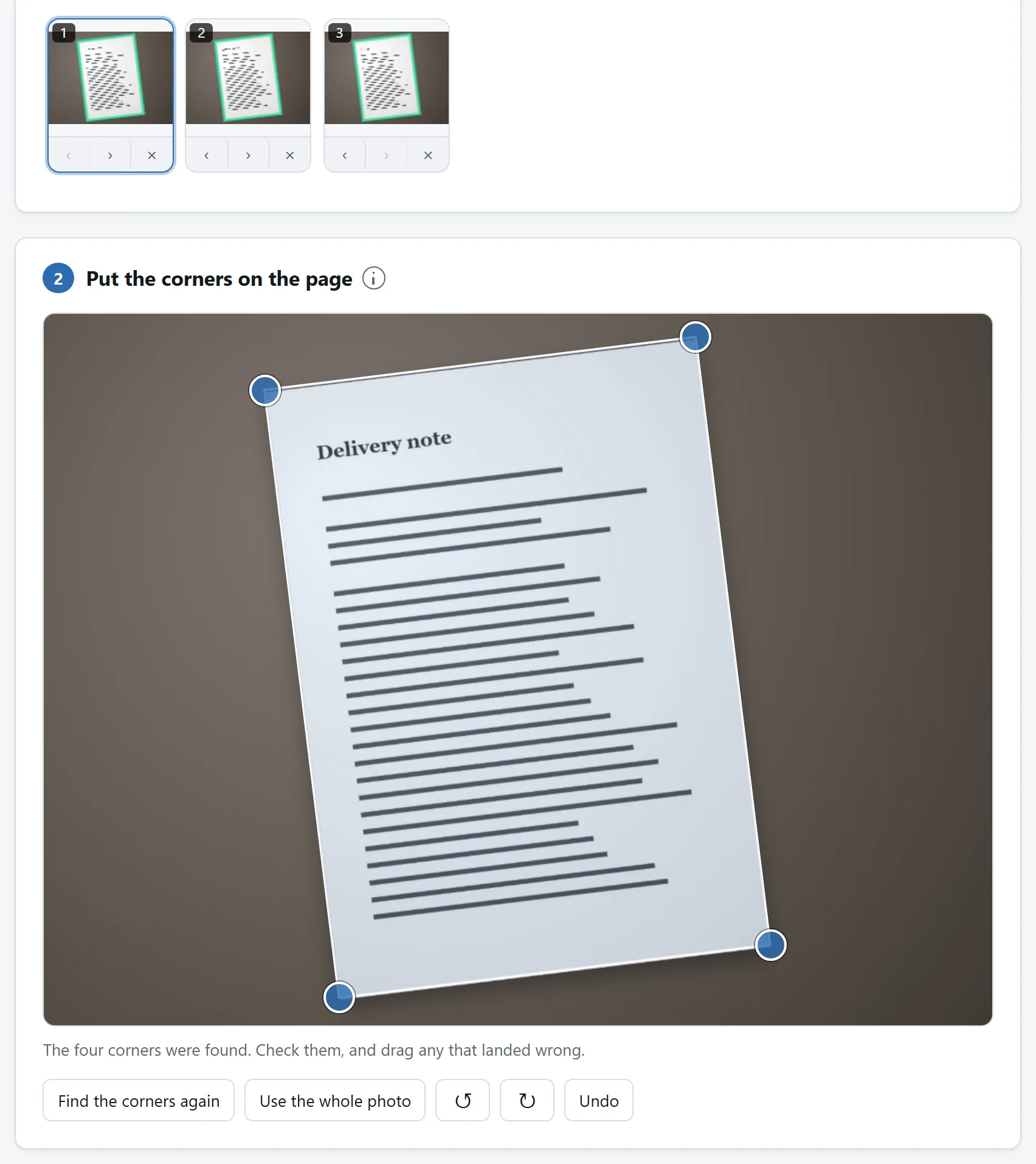
Three pages, photographed and straightened together. Each keeps its own corners, so one bad photograph does not spoil the set.
## When the merger earns its place
The scanner combines *photos*. The merger combines *PDFs* — and the middle of a real errand is often both: a signed page photographed just now, inside a document that arrived as a file. Scan your pages first, then drop the scan and the original PDF into the merger together, drag the pages into place, and export one document. Bookmarks and internal links in the original are rebuilt against the pages that survive, and filled-in form fields come along.
The same applies to scans made on different days: each session's PDF drops in as a block of pages, and the merger is where the blocks become one file.
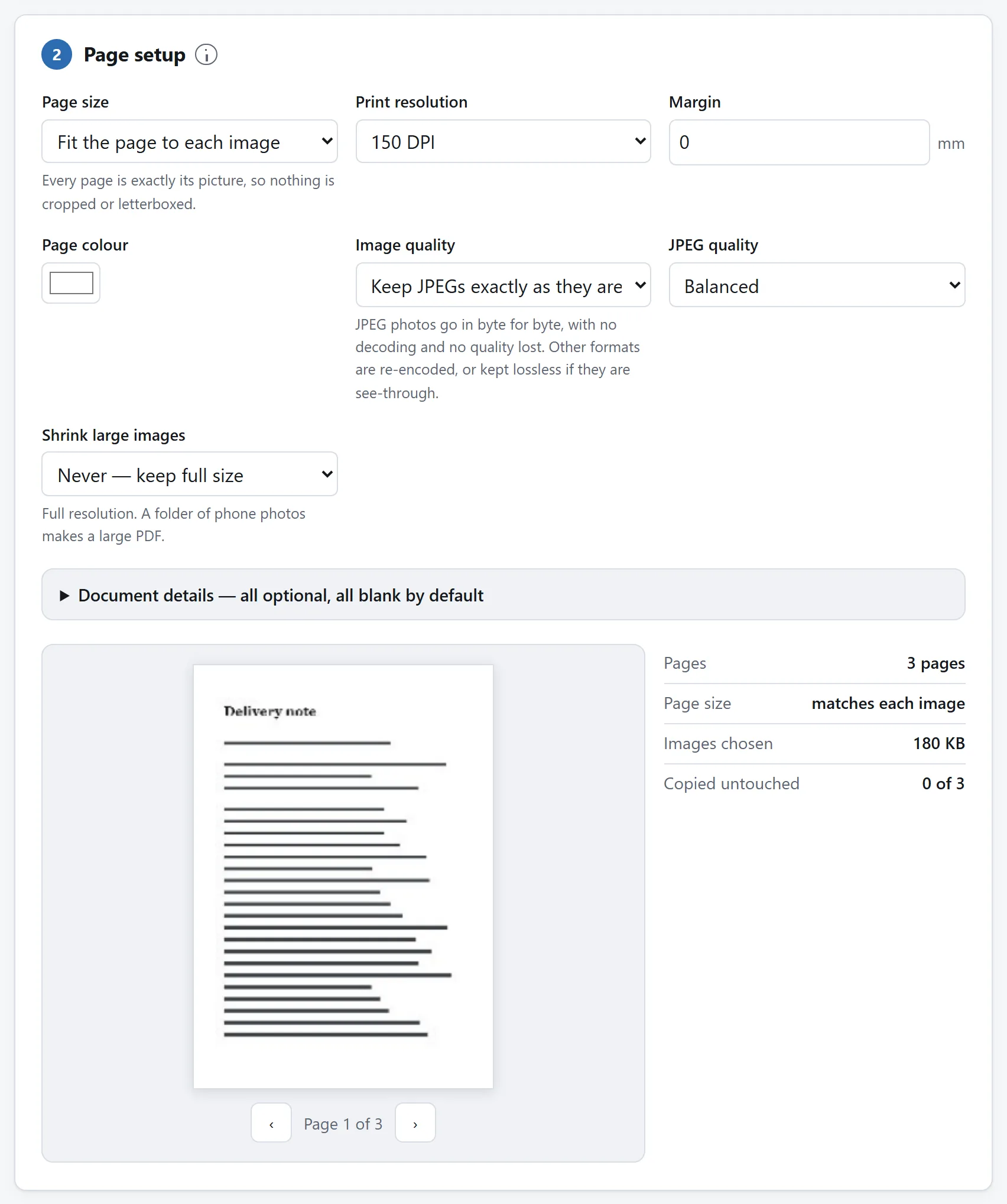
And then the same three pages as one document, which is the step the merger earns its place in.
## Getting under the size limit
Try the cheap lever first, and it is inside the scanner: for pages that are ink on paper — text, forms, receipts — black-and-white mode stores each page at one bit per pixel, and the PDF usually lands well under a megabyte a page without any compressing at all. Colour is only worth its cost when the colour carries meaning.
When the file still will not send — colour pages, or a merge that pulled in someone else's scan — the compressor starts by showing where the size actually lives, then re-encodes the page images against the resolution they are shown at. It also checks the result opens before offering it, which is worth having when the file is a contract on a deadline.
## If you do this every week
The steps live on three pages here on purpose — each page does one job, and each proves on its own that the paperwork never left your machine. But all of it is open source: MIT-licensed, one folder per tool, dependency-free ES modules with READMEs that explain the corner finder, the merger's page copying and the compressor's budget.
If the same errand lands on your desk weekly, point a coding agent at the [repository](https://github.com/A-Box-of-Tools/website) and ask it to compose those modules into one page shaped for it — scan straight into a merged, compressed document with your covering page already in place. The modules were written to be read, and lifting them is what the licence is for.
The short answer
Photograph every page, then drop all the photos onto the Document Scanner at once. It finds each page's corners, straightens each photo, and writes one PDF with one page per photo — there is no separate combining step to do, and the pages sit in the order you added them.
Two tools pick up where the scanner stops. If part of the document already is a PDF — the contract they emailed you, around your scanned signature page — interleave them with the PDF Merger. And if the finished file is still bigger than the inbox allows, the PDF Compressor gets it under the limit.
Both pickups are one click: once the scanner has written its PDF, a row under the download button offers to carry the result straight into the merger or the compressor, already loaded — and the merger hands its own result to the compressor the same way.
Nothing in the chain uploads anything. That matters more here than almost anywhere: what gets scanned is contracts, IDs and medical paperwork, and the usual apps for this send every page through their servers.
Getting the photos right
The scanner recovers a surprising amount — angled shots, uneven lamplight, a shadow across the page — but it cannot recover what the camera never captured. Three habits cover most of it:
Fill the frame, with a margin of table visible around every edge. The corners are found by looking for the page against the background, so a page that bleeds off the photo has no corner to find.
Shoot from above, roughly square-on. Perspective is corrected, but the far edge of a shallow-angle shot has fewer pixels, and the correction cannot invent them.
One page per photo, in reading order. Renaming and reshuffling afterwards works, but the order you shoot is the order you get, and shooting in order is free.
The scanning guide covers the rest — how the corners are found, when to drag them yourself, and what black-and-white mode does to the file size.
Three pages, photographed and straightened together. Each keeps its own corners, so one bad photograph does not spoil the set.
When the merger earns its place
The scanner combines photos. The merger combines PDFs — and the middle of a real errand is often both: a signed page photographed just now, inside a document that arrived as a file. Scan your pages first, then drop the scan and the original PDF into the merger together, drag the pages into place, and export one document. Bookmarks and internal links in the original are rebuilt against the pages that survive, and filled-in form fields come along.
The same applies to scans made on different days: each session's PDF drops in as a block of pages, and the merger is where the blocks become one file.
And then the same three pages as one document, which is the step the merger earns its place in.
Getting under the size limit
Try the cheap lever first, and it is inside the scanner: for pages that are ink on paper — text, forms, receipts — black-and-white mode stores each page at one bit per pixel, and the PDF usually lands well under a megabyte a page without any compressing at all. Colour is only worth its cost when the colour carries meaning.
When the file still will not send — colour pages, or a merge that pulled in someone else's scan — the compressor starts by showing where the size actually lives, then re-encodes the page images against the resolution they are shown at. It also checks the result opens before offering it, which is worth having when the file is a contract on a deadline.
If you do this every week
The steps live on three pages here on purpose — each page does one job, and each proves on its own that the paperwork never left your machine. But all of it is open source: MIT-licensed, one folder per tool, dependency-free ES modules with READMEs that explain the corner finder, the merger's page copying and the compressor's budget.
If the same errand lands on your desk weekly, point a coding agent at the repository and ask it to compose those modules into one page shaped for it — scan straight into a merged, compressed document with your covering page already in place. The modules were written to be read, and lifting them is what the licence is for.

