The short answer
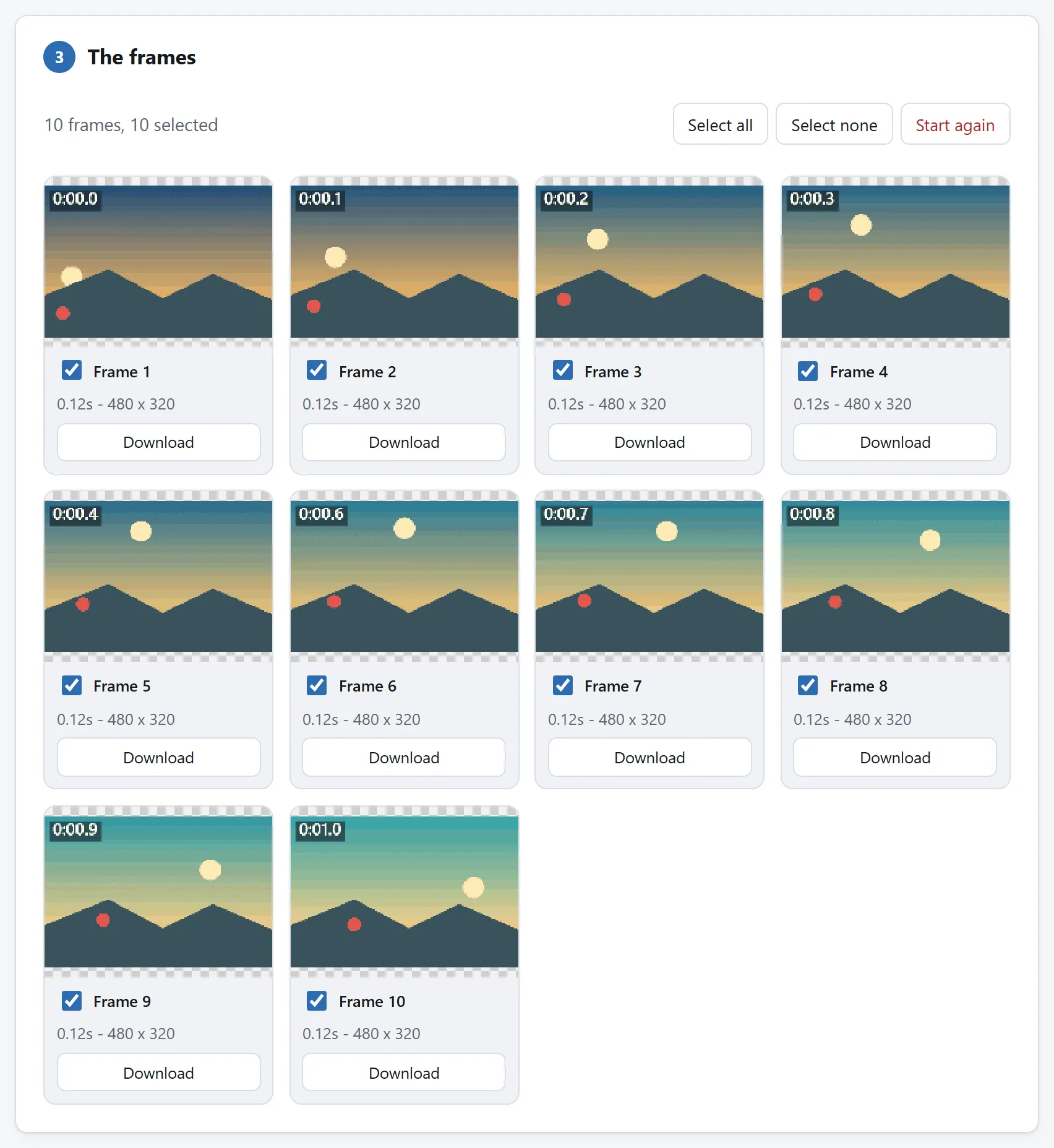
- Take it apart. Open the GIF Splitter and drop the GIF in. Every frame becomes its own PNG — as it appears on screen, with the transparency kept — and the ZIP includes a timing list, the per-frame delays written down for the rebuild.
- Edit the folder. Delete the frames that should go, retouch the ones that should change in any image editor, rename to reorder. A folder of PNGs is a format everything understands.
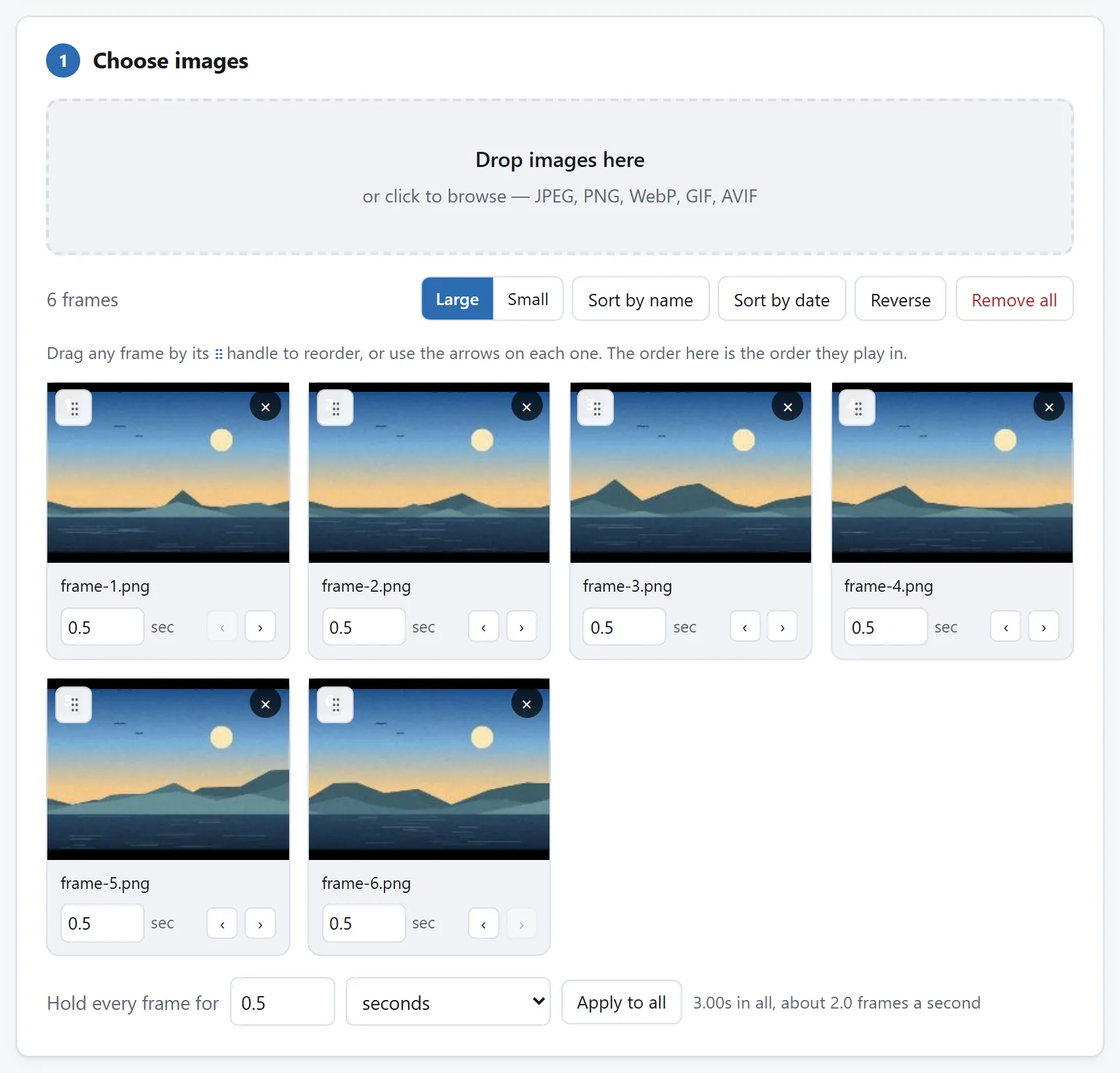
- Put it back together. Drop the folder on the GIF Maker, set the hold times — or lean on the timing list — choose the palette, and export.
All three steps run in your browser. Nothing is uploaded at any point, which matters more than usual here: the GIFs people fix are so often screen recordings with something sensitive half-visible in them.
What the splitter can tell you before you edit
The splitter shows, for every frame, its delay, position, size and disposal — and that panel is worth a look before touching anything, because it explains the two surprises in most GIFs.
First: frames are not all whole pictures. Many GIFs store only the pixels that changed, patched over the frame before — the splitter offers each frame as it appears or as stored, and for editing you almost always want as it appears, so each PNG stands alone. Second: delays are per frame, not one number. The pause on the punchline is a real delay on a real frame, and the timing list is what carries it across the round trip.
For the common cuts, the folder step is optional: keeping every second or fifth frame, or ticking the frames to keep, is built into the splitter itself — halving the frames is the single most effective slimming a GIF can get.
What the rebuild costs, honestly
A GIF holds at most 256 colours, chosen when it is built. The rebuild quantises the frames again — one shared palette, or the best colours per frame — and on photographic material that second quantisation can show. On screen recordings and drawings, the usual cargo, it does not: they never used 256 colours to begin with.
The maker's other levers are the ones the GIF budget guide describes: fewer colours, Floyd–Steinberg dithering for gradients, and loop behaviour — forever, once, or a count.
To see whether the surgery worked — and where the bytes actually live — drop the result on the GIF Analyzer: it charts frames against bytes, and the heavy frame is usually a full repaint someone could crop.
The maker offers that trip itself: after the export, a row under its download button carries the fresh GIF straight into the analyzer, already loaded.
If you do this every week
Split, folder, rebuild — the steps live on separate pages because each does one job, and each can prove on its own that nothing leaves your machine. But all of it is open source: MIT-licensed, one folder per tool, dependency-free ES modules whose READMEs explain the decoder, the disposal rules and the quantiser.
If GIF surgery is a recurring chore, point a coding agent at the repository and ask it to fold the splitter's frame table and the maker's encoder into one page where deleting a frame is one click. The modules were written to be read, and lifting them is what the licence is for.