How to make a QR code that still scans on somebody else's phone
Making a QR code takes a second. Making one that works on a wet menu, a bus shelter, or a phone held at arm's length in bad light takes four decisions, and all four are made before you print anything. Here is what each one does.
# How to make a QR code that still scans on somebody else's phone
Making a QR code takes a second. Making one that works on a wet menu, a bus shelter, or a phone held at arm's length in bad light takes four decisions, and all four are made before you print anything. Here is what each one does.
[Open the QR & Barcode Generator](https://abox.tools/qr-barcode/): Type it, and it becomes a code. Nothing is sent to make one.
Last updated 12 October 2026
## The short answer
Open the [QR & Barcode Generator](https://abox.tools/qr-barcode/), paste your link, leave the level at **M** and the margin at **4**, and download the SVG. Print it at least two centimetres across, on something matt, dark on light. Then scan the printed one with a phone that is not yours before you order a thousand of them.
That covers nearly every case. The rest of this page is what to do when it is not one of them: a code that has to survive being handled, a code with a logo on it, a code going on something small, and the one decision that is easy to get wrong in a way you only find out about a year later.
## What is actually in a QR code
A string. That is the whole of it. Scanning a QR code hands the phone a piece of text, and everything else — opening a page, joining a network, offering to save a contact — is the phone recognising the shape of that text and offering to act on it.
So there is no such thing as a "Wi-Fi QR code" as a kind of code. There is a QR code holding `WIFI:T:WPA;S:My Network;P:the password;;`, which every phone made in the last decade knows how to read. The generator shows you the finished string for exactly this reason: when a code does not do what you expected, the string is the only thing worth looking at.
It also means a QR code cannot be changed after it is printed, cannot phone home, and cannot expire — unless somebody has put a link to their own server inside it, which is the subject of the last section here.
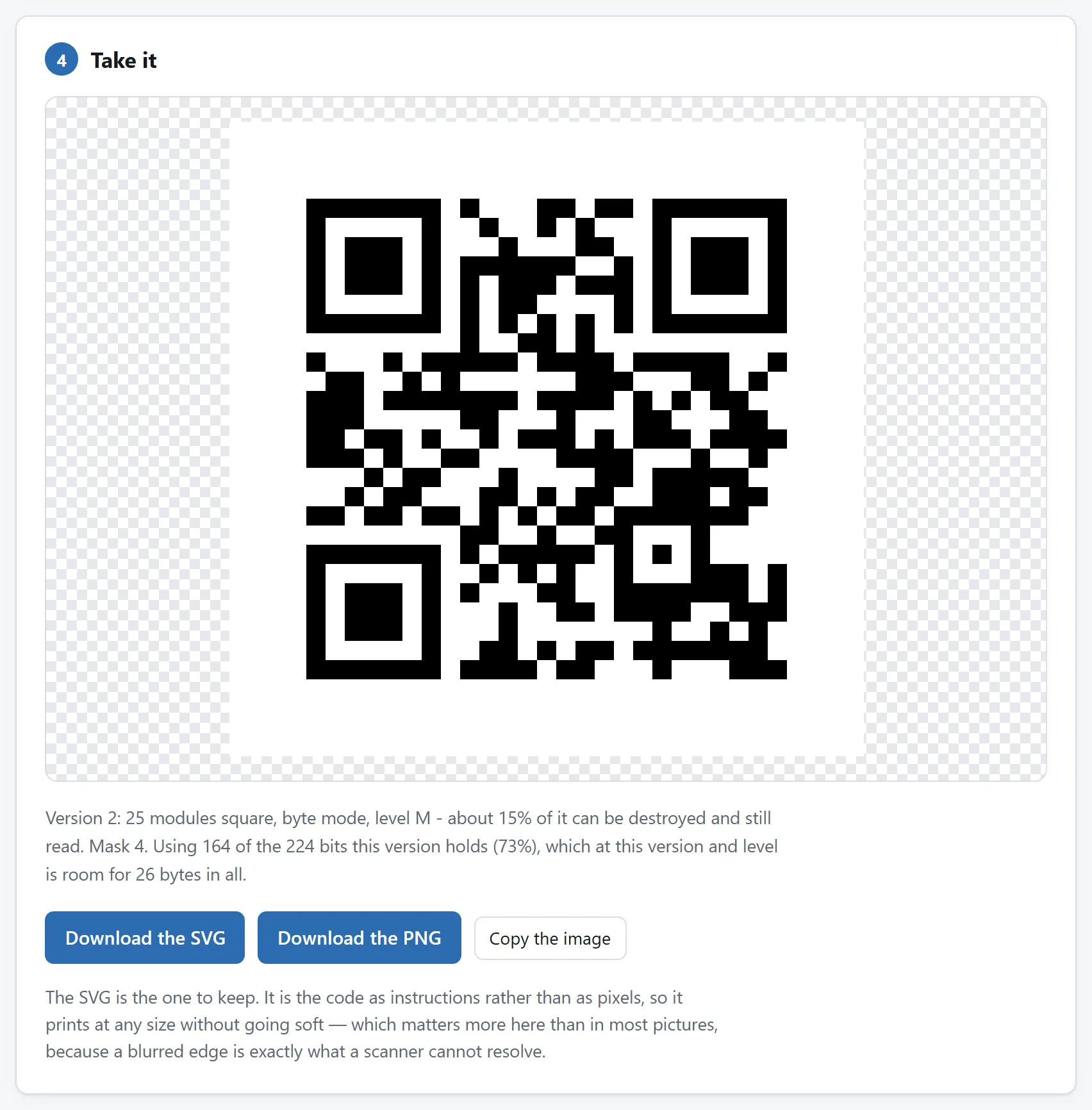
What is in the code, said in the terms the rest of this guide uses. The version grows with the content, which is why the two settings below matter.
## Decision one: the error-correction level
A QR code carries a set of check codewords alongside the data, computed so that a reader can rebuild what it could not see. That is why a code with a corner torn off still scans. How many of those codewords there are is the level, and there are four:
- **L** — about 7% of total codewords.
- **M** — about 15%.
- **Q** — about 25%.
- **H** — about 30%.
[DENSO defines these percentages against total codewords](https://www.qrcode.com/en/about/error_correction.html), not arbitrary modules or image area. Damage to detection patterns can stop a scan before data correction even begins. More correction also costs space: the same payload generally needs a denser or larger symbol.
**L** is for a screen: a code in a slide, an email, a web page. Nothing is going to damage it and every extra module makes it harder to read at a distance.
**M** is the default and the right answer for most printing. Paper that will be handled a bit, a flyer, a business card.
**Q and H** are for codes that will be abused: a menu wiped down daily, a sticker on a machine in a workshop, a label on a crate, a code in a window that gets direct sun. H is also what makes a logo in the middle possible — see below.
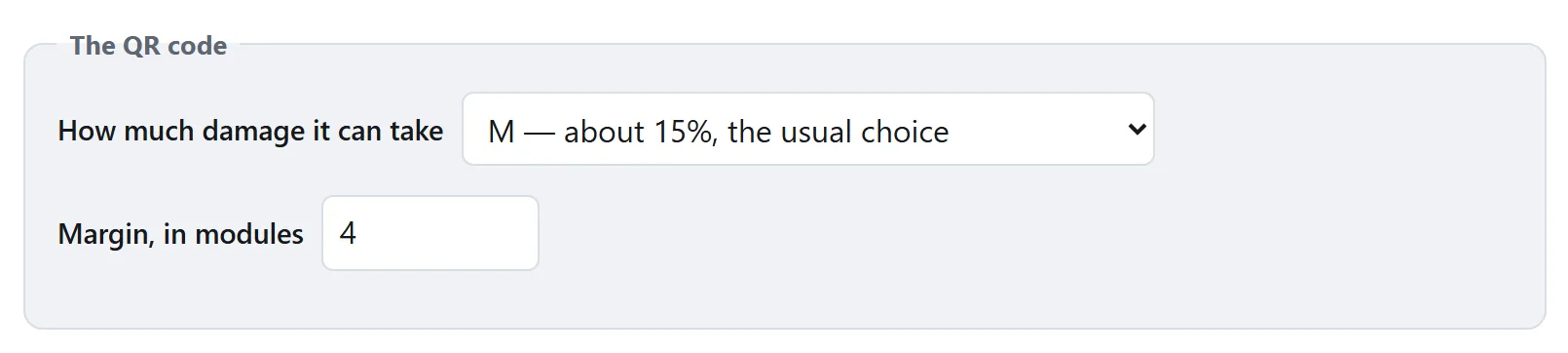
Both of these are about the code surviving the real world - a fold, a logo, a bad print - and both are set before it is drawn.
## Decision two: the margin, which is part of the code
The white space around a QR code is not padding, and it is not a design choice. A reader uses it to find where the symbol ends. The specification asks for four modules of quiet space on every side, and a code trimmed to its edge is the single most common reason a printed code fails.
This is worth being blunt about because trimming is such a natural thing to do. The code looks like it has too much white around it, so it gets cropped in the layout, or dropped onto a coloured panel that runs right up to the squares, or placed on a photograph. Each of those removes the boundary the reader was going to use.
If the code looks too big with its margin, make the code smaller. Do not take the margin off.
## Decision three: how big to print it
The rule of thumb that has survived contact with reality is **one to ten**: a code needs to be about a tenth as wide as the distance it will be scanned from.
- A business card or a menu, read at 30 cm: about 2 cm across.
- A poster read from two metres: about 20 cm.
- A bus shelter or a shop window read from five metres: about 50 cm.
Two centimetres is a floor rather than a target. Below about 1.5 cm an ordinary phone starts struggling regardless of how good the print is, because the individual modules approach the size of a pixel in its camera.
Less text means fewer modules means a code that reads at a distance for a given printed size — which is a good reason to point a code at `example.com/x` rather than at a URL with a hundred characters of tracking parameters on the end.
And print from the **SVG**. A QR code is made of edges, and a PNG has a fixed number of pixels to make them out of; enlarge one and every edge softens, which is precisely what a scanner has trouble with. An SVG is the squares as instructions, so it comes out sharp at a business card or a billboard.
## Colour, contrast, and the two mistakes
A reader measures the difference between the dark modules and the light ones, so contrast is the whole of it. Two things go wrong regularly:
**Light code on a dark background.** It looks striking, and a good many readers refuse it outright: they are looking for dark-on-light and do not try the inversion. Some do. You will not know which ones your customers have.
**Not enough difference.** Mid-grey on white, or two brand colours of similar weight, can measure fine on screen and fail on paper once ink spread and a phone's automatic exposure are involved. If you are colouring a code, keep the dark part genuinely dark.
Matt beats gloss for anything that will be scanned under a light, and both beat printing onto a photograph. Transparent backgrounds are useful for putting a code onto a coloured panel — but check what actually ends up behind it, because a transparent code on a dark panel is the first mistake above with extra steps.
## A logo in the middle
A small logo can work, but no percentage of image area is guaranteed safe. DENSO defines level H’s roughly 30% restoration against total codewords, not arbitrary squares. Keep finder and alignment patterns clear, use H, and test the final printed code on several phones. [DENSO’s error-correction explanation](https://www.qrcode.com/en/about/error_correction.html) describes the denominator.
Choose H and keep the logo small. There is no guaranteed safe area fraction: placement, symbol version, damage distribution and print quality all matter. Leave the finder and alignment patterns clear, and use a printed proof to decide whether this design scans reliably.
Then test it on real phones. A logo takes a code from "always works" to "works with this much margin", and the only way to know how much margin is left is to try it.
## The decision people regret: static or "dynamic"
Search for a QR generator and most of the results want you to make an account, because they are selling *dynamic* codes. A dynamic code does not contain your link. It contains a short link to the generator's own server, which redirects to yours.
What that buys you is real: you can change where the code points after it is printed, and you get a count of every scan. For a campaign with a six-figure print run, that is worth paying for.
What it costs is also real, and is worth knowing before rather than after:
- **The code stops working when they stop working.** If the service closes, the domain lapses, or the free tier expires, every code you printed goes dead — and by then they are on ten thousand menus.
- **Every scan is somebody else's data.** The redirect sees the IP address, the time, and the device of every person who scans your code.
- **The link is theirs, not yours.** Anyone scanning it sees an unfamiliar domain flash past, which is exactly what people are being told to be suspicious of.
The middle way costs nothing: put a static QR code around a short URL *on your own domain*, and redirect that yourself. You keep the ability to change the destination, you keep the analytics, and nothing about the code depends on a company you have never met still existing next year.
The [generator here](https://abox.tools/qr-barcode/) only makes static codes, and it has no account to make. What you type is what the code holds.
## Before you print a thousand of them
Scan the code. Not the one on your screen — the printed proof, in the place it is going, with a phone that is not the one you made it on. That takes a minute and catches the entire category of problems this page is about: a margin the layout ate, a link missing its `https://`, a colour that measured differently on paper, a code printed at a size that works on a desk and not on a wall.
And check what happens after the scan. A code that opens a page which is unreadable on a phone is a code that failed, even though it scanned.
## None of this requires uploading anything
A QR code is arithmetic over a string. There is no file to send and nothing a server can do that a browser cannot, which is why the [tool here](https://abox.tools/qr-barcode/) does all of it on your own machine and works with the network unplugged.
That matters more than it sounds, because of what people put in QR codes. The most common use for the Wi-Fi format is a network's actual password, typed into a web page. It is worth knowing whether that page had anywhere to send it.
The short answer
Open the QR & Barcode Generator, paste your link, leave the level at M and the margin at 4, and download the SVG. Print it at least two centimetres across, on something matt, dark on light. Then scan the printed one with a phone that is not yours before you order a thousand of them.
That covers nearly every case. The rest of this page is what to do when it is not one of them: a code that has to survive being handled, a code with a logo on it, a code going on something small, and the one decision that is easy to get wrong in a way you only find out about a year later.
What is actually in a QR code
A string. That is the whole of it. Scanning a QR code hands the phone a piece of text, and everything else — opening a page, joining a network, offering to save a contact — is the phone recognising the shape of that text and offering to act on it.
So there is no such thing as a "Wi-Fi QR code" as a kind of code. There is a QR code holding WIFI:T:WPA;S:My Network;P:the password;;, which every phone made in the last decade knows how to read. The generator shows you the finished string for exactly this reason: when a code does not do what you expected, the string is the only thing worth looking at.
It also means a QR code cannot be changed after it is printed, cannot phone home, and cannot expire — unless somebody has put a link to their own server inside it, which is the subject of the last section here.
What is in the code, said in the terms the rest of this guide uses. The version grows with the content, which is why the two settings below matter.
Decision one: the error-correction level
A QR code carries a set of check codewords alongside the data, computed so that a reader can rebuild what it could not see. That is why a code with a corner torn off still scans. How many of those codewords there are is the level, and there are four:
L — about 7% of total codewords.
M — about 15%.
Q — about 25%.
H — about 30%.
DENSO defines these percentages against total codewords, not arbitrary modules or image area. Damage to detection patterns can stop a scan before data correction even begins. More correction also costs space: the same payload generally needs a denser or larger symbol.
L is for a screen: a code in a slide, an email, a web page. Nothing is going to damage it and every extra module makes it harder to read at a distance.
M is the default and the right answer for most printing. Paper that will be handled a bit, a flyer, a business card.
Q and H are for codes that will be abused: a menu wiped down daily, a sticker on a machine in a workshop, a label on a crate, a code in a window that gets direct sun. H is also what makes a logo in the middle possible — see below.
Both of these are about the code surviving the real world - a fold, a logo, a bad print - and both are set before it is drawn.
Decision two: the margin, which is part of the code
The white space around a QR code is not padding, and it is not a design choice. A reader uses it to find where the symbol ends. The specification asks for four modules of quiet space on every side, and a code trimmed to its edge is the single most common reason a printed code fails.
This is worth being blunt about because trimming is such a natural thing to do. The code looks like it has too much white around it, so it gets cropped in the layout, or dropped onto a coloured panel that runs right up to the squares, or placed on a photograph. Each of those removes the boundary the reader was going to use.
If the code looks too big with its margin, make the code smaller. Do not take the margin off.
Decision three: how big to print it
The rule of thumb that has survived contact with reality is one to ten: a code needs to be about a tenth as wide as the distance it will be scanned from.
A business card or a menu, read at 30 cm: about 2 cm across.
A poster read from two metres: about 20 cm.
A bus shelter or a shop window read from five metres: about 50 cm.
Two centimetres is a floor rather than a target. Below about 1.5 cm an ordinary phone starts struggling regardless of how good the print is, because the individual modules approach the size of a pixel in its camera.
Less text means fewer modules means a code that reads at a distance for a given printed size — which is a good reason to point a code at example.com/x rather than at a URL with a hundred characters of tracking parameters on the end.
And print from the SVG. A QR code is made of edges, and a PNG has a fixed number of pixels to make them out of; enlarge one and every edge softens, which is precisely what a scanner has trouble with. An SVG is the squares as instructions, so it comes out sharp at a business card or a billboard.
Colour, contrast, and the two mistakes
A reader measures the difference between the dark modules and the light ones, so contrast is the whole of it. Two things go wrong regularly:
Light code on a dark background. It looks striking, and a good many readers refuse it outright: they are looking for dark-on-light and do not try the inversion. Some do. You will not know which ones your customers have.
Not enough difference. Mid-grey on white, or two brand colours of similar weight, can measure fine on screen and fail on paper once ink spread and a phone's automatic exposure are involved. If you are colouring a code, keep the dark part genuinely dark.
Matt beats gloss for anything that will be scanned under a light, and both beat printing onto a photograph. Transparent backgrounds are useful for putting a code onto a coloured panel — but check what actually ends up behind it, because a transparent code on a dark panel is the first mistake above with extra steps.
A logo in the middle
A small logo can work, but no percentage of image area is guaranteed safe. DENSO defines level H’s roughly 30% restoration against total codewords, not arbitrary squares. Keep finder and alignment patterns clear, use H, and test the final printed code on several phones. DENSO’s error-correction explanation describes the denominator.
Choose H and keep the logo small. There is no guaranteed safe area fraction: placement, symbol version, damage distribution and print quality all matter. Leave the finder and alignment patterns clear, and use a printed proof to decide whether this design scans reliably.
Then test it on real phones. A logo takes a code from "always works" to "works with this much margin", and the only way to know how much margin is left is to try it.
The decision people regret: static or "dynamic"
Search for a QR generator and most of the results want you to make an account, because they are selling dynamic codes. A dynamic code does not contain your link. It contains a short link to the generator's own server, which redirects to yours.
What that buys you is real: you can change where the code points after it is printed, and you get a count of every scan. For a campaign with a six-figure print run, that is worth paying for.
What it costs is also real, and is worth knowing before rather than after:
The code stops working when they stop working. If the service closes, the domain lapses, or the free tier expires, every code you printed goes dead — and by then they are on ten thousand menus.
Every scan is somebody else's data. The redirect sees the IP address, the time, and the device of every person who scans your code.
The link is theirs, not yours. Anyone scanning it sees an unfamiliar domain flash past, which is exactly what people are being told to be suspicious of.
The middle way costs nothing: put a static QR code around a short URL on your own domain, and redirect that yourself. You keep the ability to change the destination, you keep the analytics, and nothing about the code depends on a company you have never met still existing next year.
The generator here only makes static codes, and it has no account to make. What you type is what the code holds.
Before you print a thousand of them
Scan the code. Not the one on your screen — the printed proof, in the place it is going, with a phone that is not the one you made it on. That takes a minute and catches the entire category of problems this page is about: a margin the layout ate, a link missing its https://, a colour that measured differently on paper, a code printed at a size that works on a desk and not on a wall.
And check what happens after the scan. A code that opens a page which is unreadable on a phone is a code that failed, even though it scanned.
None of this requires uploading anything
A QR code is arithmetic over a string. There is no file to send and nothing a server can do that a browser cannot, which is why the tool here does all of it on your own machine and works with the network unplugged.
That matters more than it sounds, because of what people put in QR codes. The most common use for the Wi-Fi format is a network's actual password, typed into a web page. It is worth knowing whether that page had anywhere to send it.

