# How to format and check XML
Reindent XML without uploading it, follow a parser error to its source, and understand what changes when you convert the document to JSON.
[Open the XML Formatter](https://abox.tools/xml-formatter/): XML laid out to read or squeezed to ship, and converted to JSON both ways. Nothing is pasted into anyone else's server.
Last updated 12 October 2026
## Paste or import the XML
Open the formatter and paste XML or choose a text file. Select two spaces, four spaces or a tab for indentation, or choose the minified output. Copy or download the current result once it parses. Typing invalidates the old result while the new input is checked.
The parser runs locally. It checks the document’s syntax; it does not validate an XSD or DTD, prove that a configuration is correct for your application, or contact a URL named in the text.
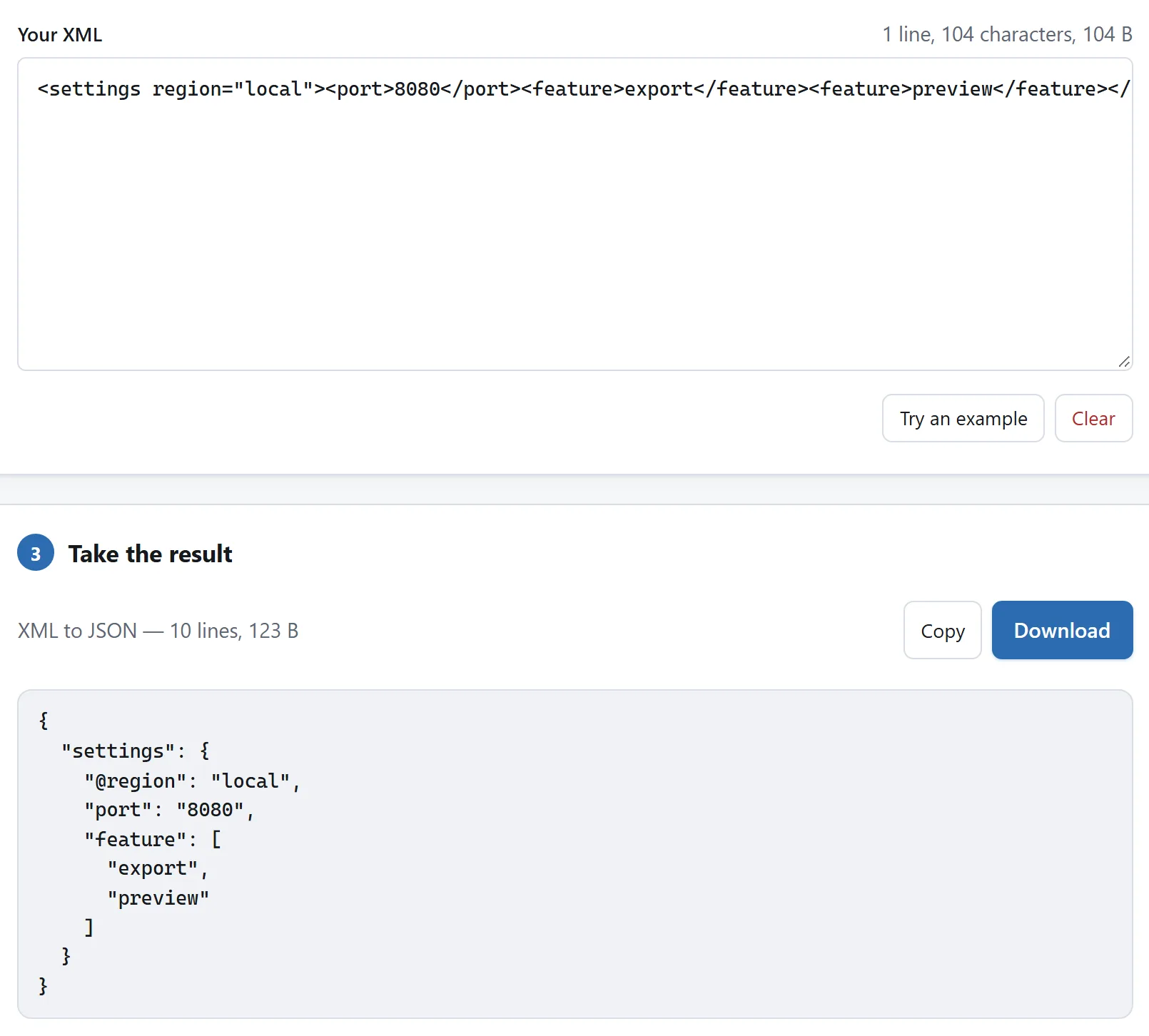
The attribute becomes @region, the port stays a string, and repeated feature elements become an array.
## Follow a parse error
An unclosed tag, mismatched end tag or invalid character reference stops formatting and conversion. Use Go to error to move the caret to the reported position. The document needs one outer element: two roots or text outside the root are refused.
```
<settings>
  <port>8080</port>
</settings>
```
DOCTYPE text is preserved literally. External entities are not resolved; naming a file or website in a declaration does not load it.
## Understand whitespace before reindenting
Text values, CDATA and mixed-content elements keep their text. Whitespace used only between child elements is treated as layout unless `xml:space="preserve"` applies. That choice is useful for readable configuration files, but an application that treats those spaces as data needs a check of the result before reuse.
## Know what XML to JSON changes
Choose the conversion direction before reading the result. Attributes become keys starting with `@`, repeated elements become arrays, and text beside other content uses `#text`. XML values remain strings: `<port>8080</port>` becomes a string, not an inferred number.
Comments and the interleaved order of mixed text and child elements are lost in the JSON mapping. Converting back therefore does not promise the original document. Save an original copy and compare the fields your application uses.
For JSON formatting without that mapping, use the [JSON formatter](https://abox.tools/json-formatter/).
Paste or import the XML
Open the formatter and paste XML or choose a text file. Select two spaces, four spaces or a tab for indentation, or choose the minified output. Copy or download the current result once it parses. Typing invalidates the old result while the new input is checked.
The parser runs locally. It checks the document’s syntax; it does not validate an XSD or DTD, prove that a configuration is correct for your application, or contact a URL named in the text.
The attribute becomes @region, the port stays a string, and repeated feature elements become an array.
Follow a parse error
An unclosed tag, mismatched end tag or invalid character reference stops formatting and conversion. Use Go to error to move the caret to the reported position. The document needs one outer element: two roots or text outside the root are refused.
<settings>
<port>8080</port>
</settings>
DOCTYPE text is preserved literally. External entities are not resolved; naming a file or website in a declaration does not load it.
Understand whitespace before reindenting
Text values, CDATA and mixed-content elements keep their text. Whitespace used only between child elements is treated as layout unless xml:space="preserve" applies. That choice is useful for readable configuration files, but an application that treats those spaces as data needs a check of the result before reuse.
Know what XML to JSON changes
Choose the conversion direction before reading the result. Attributes become keys starting with @, repeated elements become arrays, and text beside other content uses #text. XML values remain strings: <port>8080</port> becomes a string, not an inferred number.
Comments and the interleaved order of mixed text and child elements are lost in the JSON mapping. Converting back therefore does not promise the original document. Save an original copy and compare the fields your application uses.
For JSON formatting without that mapping, use the JSON formatter.
